
Ever open your email expecting new messages…and absolutely nothing changes? So you refresh again. Still nothing. Then maybe hours later you suddenly realize:
important emails were sitting there the whole time but your inbox just refused to update.
Honestly?
Few things are more annoying than broken email syncing.
Especially when you’re waiting for:
- job replies
- school updates
- work emails
- password resets
- delivery confirmations
- important messages
And suddenly your inbox acts like:
time completely stopped.
The confusing part?
Sometimes email apps fail silently.
No warnings.
No giant error.
Just… nothing updates.
Let’s break down why email stops refreshing, why syncing problems happen so often, and what usually fixes it without needing a computer science degree.
What Does “Email Not Updating” Mean?
Usually it means:
your inbox stops syncing with email servers.
So:
- new emails don’t appear
- sent emails don’t update
- folders stop refreshing
- notifications fail
Basically your email gets stuck honestly.
Why Email Syncing Matters
Modern email constantly talks with servers online.
Your phone or computer checks:
“Any new messages yet?”
If syncing breaks?
Inbox stops updating.
Most Common Reason: Internet Problems
Honestly this causes tons of issues.
No internet?
No email updates.
Even the weak internet can break syncing sometimes.
Why Weak Wi-Fi Causes Email Problems
Email apps constantly communicate with servers.
Poor connection interrupts:
- refreshing
- downloading
- syncing folders
- notifications
Very common honestly.
Mobile Data Can Cause Problems Too
Especially:
- unstable signals
- restricted data settings
- battery-saving modes
Phones often limit background syncing honestly.
Why Battery Saver Stops Email Updates
Battery optimization aggressively pauses apps sometimes.
Especially on Android honestly.
Your phone tries saving power by:
stopping background refresh.
Which includes email syncing.
How Background App Refresh Affects Email
Phones often require:
background permissions for syncing.
Disabled refresh means:
email updates only when the app manually opens.
Very common honestly.
Gmail Not Updating Problems
Gmail syncing issues happen constantly honestly.
Especially on Android phones.
Common Gmail Sync Problems
Usually:
- sync disabled
- storage full
- app outdated
- internet issues
- Google account problems
How to Check Gmail Sync Settings
Usually:
- Open Gmail app
- Go to Settings
- Select account
- Check Sync Gmail enabled
Very important honestly.
Also Read: How to Save an Email as a PDF Without Making It Complicated
Why Full Storage Breaks Gmail
Google accounts share storage between:
- Gmail
- Photos
- Drive
If storage fills up?
Email syncing may stop.
Outlook Not Updating Issues
Microsoft Outlook honestly has its own syncing headaches too.
Common Outlook Problems
Usually:
- account authentication issues
- outdated app
- server sync errors
- offline mode enabled
Why Outlook Offline Mode Causes Confusion
Sometimes Outlook accidentally switches into:
Work Offline mode.
Then the inbox completely stops refreshing honestly.
How to Disable Outlook Offline Mode
Usually:
- Open Outlook
- Go to Send/Receive
- Turn off Work Offline
Simple honestly.
Yahoo Mail Sync Problems
Yahoo Mail sometimes struggles with:
- app sync
- password issues
- account verification
especially after security updates honestly.
Apple Mail Not Updating
Apple Mail syncing problems happen often on iPhones honestly.
Especially after iOS updates.
Why iPhone Mail Stops Refreshing
Usually:
- Background App Refresh disabled
- Fetch settings wrong
- Push notifications disabled
- Low Power Mode enabled
Very common honestly.
Difference Between Push and Fetch Email
People rarely understand this honestly.
Push
Emails arrive instantly automatically.
Fetch
Phone checks periodically for new mail.
Push faster honestly.
Why Fetch Sometimes Feels Delayed
Because phone only checks:
every few minutes sometimes.
Not instant.
Why Password Problems Stop Email Updates
Very common honestly.
If account password changes somewhere else:
The email app may quietly stop syncing.
Especially after:
- security resets
- password updates
- suspicious login warnings
Why Two-Factor Authentication Can Break Email Apps
Modern security sometimes blocks older email setups honestly.
May require:
- re-login
- verification approval
- app passwords
Can Server Outages Stop Email Updates?
Absolutely.
Sometimes the problem isn’t your device at all honestly.
Email providers occasionally suffer:
- outages
- sync failures
- maintenance
How to Check If Email Servers Are Down
Usually:
- official provider status pages
- outage tracking websites
- social media complaints
Very useful honestly.
Why Outdated Email Apps Cause Problems
Older versions may:
- fail authentication
- lose compatibility
- crash syncing systems
Updating apps helps massively honestly.
Can VPNs Break Email Sync?
Sometimes yes honestly.
VPNs occasionally interfere with:
- login verification
- server connections
- location security checks
Why Security Apps Sometimes Block Email
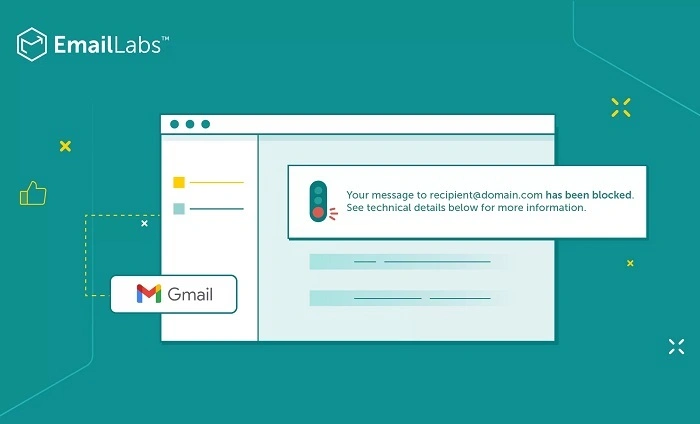
Aggressive antivirus or firewall settings can interrupt:
email syncing honestly.
Especially on work devices.
Why Notifications Sometimes Fail Even When Email Works
Interesting difference honestly.
Sometimes inbox updates correctly…
but notifications fail separately.
Different systems.
Why Phone Storage Matters for Email
Low device storage can cause:
- sync failures
- crashes
- download issues
Especially with large attachments honestly.
Why Huge Attachments Slow Email Updates
Big files require:
more bandwidth and storage.
Can freeze syncing temporarily honestly.
Can Too Many Accounts Slow Email Apps?
Absolutely.
Managing:
- multiple Gmail accounts
- Outlook accounts
- business accounts
can overload weaker devices honestly.
Why Restarting Devices Helps So Often
Because temporary glitches honestly happen constantly.
Restarting resets:
- memory
- app connections
- background processes
Simple but effective.
Why Removing and Re-Adding Email Accounts Helps
Sometimes account setup becomes corrupted honestly.
Fresh connection fixes:
- sync settings
- authentication
- permissions
Why Browser Email Sometimes Works When Apps Don’t
Because browser version bypasses:
broken app settings honestly.
Very useful troubleshooting step.
Common Email Sync Mistakes
People do these constantly.
Ignoring Storage Warnings
Very common honestly.
Forgetting Password Changes
Apps silently fail afterward.
Disabling Background Refresh
Battery saver causes chaos.
Never Updating Apps
Old software creates compatibility problems.
Why Work Email Sync Problems Get More Complicated
Business systems often involve:
- Exchange servers
- security policies
- VPN requirements
- company restrictions
More moving parts honestly.
Can Corporate IT Block Email Sync?
Definitely.
Especially on:
personal phones
unapproved devices
external networks
Best Ways to Fix Email Update Problems
Want fastest troubleshooting honestly?
Try this stuff.
Check Internet First
Most common issue honestly.
Restart App
Simple but effective.
Restart Phone or Computer
Fixes lots of weird bugs.
Check Sync Settings
Especially Gmail.
Update Email App
Very important.
Verify Password Still Works
Huge issue honestly.
Remove and Re-Add Account
Great reset option.
Check Storage Space
Especially phones.
Why Email Apps Sometimes Lag Temporarily
Servers constantly process:
millions of messages honestly.
Short delays happen naturally sometimes.
Can Email Notifications Arrive Late?
Absolutely.
Especially under:
- weak internet
- battery restrictions
- overloaded servers
Why Email Syncing Feels More Fragile Than Messaging Apps
Because email systems are older and more complex honestly.
They connect:
- multiple providers
- protocols
- devices
- security systems
Huge ecosystem.
FAQs About Email Not Updating
Why won’t my Gmail refresh?
Usually sync or internet issues honestly.
Can low storage stop email updates?
Absolutely.
Why does Outlook say disconnected?
Often internet or authentication problems.
Can battery saver stop email syncing?
Very commonly honestly.
Why are email notifications delayed?
Background refresh or connectivity issues usually.
Does restarting the phone help?
Honestly yes surprisingly often.
Can password changes break email apps?
Absolutely.
Can servers go down temporarily?
Definitely happens sometimes.
Honestly?
Email syncing problems feel extra frustrating because email has become such a huge part of daily life.
When inboxes stop updating…
everything suddenly feels stuck:
- work
- school
- business
- communication
- accounts
- notifications
And the annoying part is:
Sometimes the issue is tiny.
A weak signal.
A battery setting.
A forgotten password.
One disabled sync option.
But once you understand how email apps constantly communicate with servers behind the scenes…
Most syncing problems honestly become way easier to troubleshoot without panicking every time your inbox freezes.
