
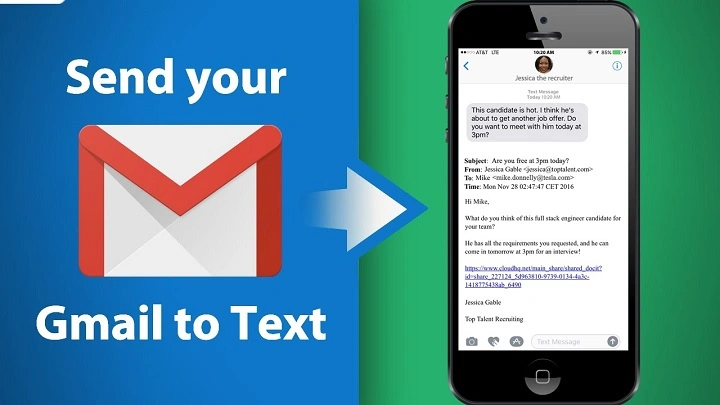
Most people know you can:
send emails to phones.
But then someone says:
“You can text an email address too.”
And honestly?
That sounds backwards at first.
Because texting and emailing feel like:
totally different worlds.
One happens in:
messaging apps.
The other lives in:
your inbox.
But yep…
phones can actually send text messages directly to email addresses.
And honestly?
A lot of people accidentally discover this feature while trying to text someone normally.
Suddenly their message turns blue, disappears weirdly, or asks for an email instead of a phone number.
Confusing honestly.
Let’s break down exactly how texting an email address works, when it works best, and why people still use it today.
Can You Really Send a Text to an Email Address?
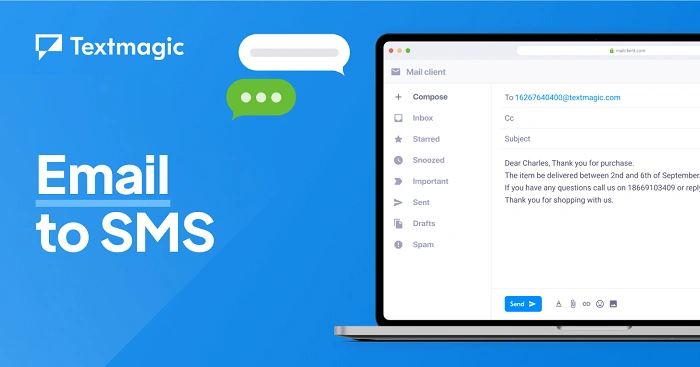
Yep honestly.
Modern phones can send messages directly to:
email addresses instead of phone numbers.
Usually through:
- MMS messaging
- Messaging apps
- Carrier systems
Very common honestly.
How Text-to-Email Actually Works
Basically:
your phone converts the text message into an email.
Instead of sending through:
normal SMS phone networks…
it routes message through:
internet/email systems.
Pretty clever honestly.
Why People Send Texts to Email Addresses
Lots of reasons honestly.
Quick Communication
Sometimes email is easier than formal email apps.
Sharing Photos Fast
MMS messages can email images directly.
Sending Notes to Yourself
Very common honestly.
Business Communication
Quick updates without opening a full email app.
Device Compatibility
Useful when someone isn’t available by text.
Can iPhones Send Texts to Emails?
Absolutely.
Apple Messages supports this easily.
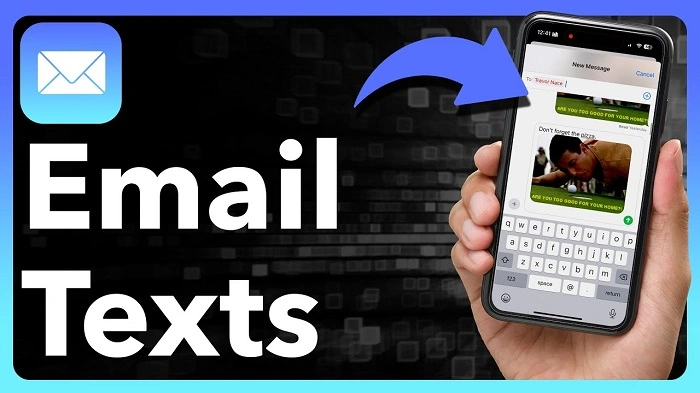
How to Send Text to Email on iPhone
Usually:
- Open Messages app
- Start new message
- Enter email address instead of phone number
- Type message
- Send
That’s basically it honestly.
Can Android Phones Send Texts to Emails?
Definitely.
Most Android messaging apps support it.
Very similar process honestly.
How to Send Text to Email on Android
Usually:
- Open messaging app
- Start conversation
- Enter email address
- Type message
- Send
Simple honestly.
Does the Recipient Receive an Actual Email?
Yep.
The recipient usually receives:
normal-looking email.
Often includes:
- Your phone number
- Message text
- Photos or attachments
What Does the Sender Look Like?
Usually recipient sees:
your phone number as sender.
Sometimes formatted strangely depending on the carrier honestly.
Can You Send Photos From Text to Email?
Absolutely.
Very common honestly.
Phones often convert:
picture texts → email attachments.
Why MMS Matters for Text-to-Email
SMS alone is honestly limited.
MMS supports:
- Photos
- Media
- Longer messages
- Email integration
Much more flexible.
Difference Between SMS and MMS
People confuse these constantly.
SMS
Basic text-only messaging.
MMS
Supports media and richer content.
Text-to-email usually relies more on MMS honestly.
Can Recipients Reply Back?
Usually yes.
Replies often go back to:
your phone as text messages.
Pretty useful honestly.
Why Some Text-to-Email Messages Fail
Lots of reasons honestly.
Carrier Restrictions
Some providers limit functionality.
Internet Problems
MMS needs data connection often.
Wrong Email Address
Typos happen constantly.
File Size Limits
Huge photos may fail.
Spam Filters
Email providers sometimes block texts.
Can Gmail Receive Text Messages?
Absolutely.
Gmail receives text-to-email messages normally.
Usually appears like standard email.
Can Outlook Receive Text-to-Email Messages?
Yep.
Microsoft Outlook handles them fine too.
Why Text-to-Email Feels Weird Sometimes
Because messaging and email systems format things differently honestly.
Messages may arrive:
- Broken oddly
- With strange spacing
- Missing emojis
- Weird sender names
Normal honestly.
Can Text-to-Email Include Emojis?
Usually yes honestly.
Though formatting varies depending on:
- Device
- Carrier
- Email provider
Are There Character Limits?
Sometimes yes.
Especially older SMS systems.
Very long texts may:
- Split into multiple emails
- Truncate strangely
Can Group Texts Be Sent to Emails?
Sometimes honestly.
But group texting mixed with email can become messy quickly.
Replies may behave unpredictably.
Why Businesses Use Text-to-Email
Honestly, it’s still pretty useful.
Especially for:
- Alerts
- Notifications
- Quick updates
- Customer communication
- Automation systems
Can Text-to-Email Be Automated?
Absolutely.
Lots of systems automatically:
convert alerts into emails or texts.
Huge in IT honestly.
Is Text-to-Email Secure?
Not especially honestly.
SMS and MMS aren’t highly encrypted.
Avoid sending:
- Passwords
- Sensitive data
- Financial information
through text-to-email systems.
Can Text-to-Email Cost Money?
Depends honestly.
Could count as:
- Standard text
- MMS charge
- Data usage
Depends on mobile plan.
Why Some Companies Block Text-to-Email
Because spam systems abuse it sometimes honestly.
Especially mass texting.
Common Uses for Text-to-Email
Honestly pretty practical.
Sending Yourself Reminders
People do this constantly.
Sharing Quick Photos
Very convenient.
Contacting Someone Fast
Especially when email is easier than apps.
Device Compatibility
Works across many systems.
Why People Sometimes Accidentally Text Emails
Autocomplete honestly.
Phones mix:
- Contacts
- Emails
- Phone numbers
easy mistake.
Can Text-to-Email Replace Normal Email Apps?
Not really honestly.
Better for:
short quick communication.
Not ideal for:
- Long business emails
- Formal formatting
- Attachments management
Difference Between Text-to-Email and iMessage
Huge difference honestly.
Text-to-Email
Converts text into actual email.
iMessage
Apple internet messaging system.
Different technologies entirely.
Difference Between Text-to-Email and WhatsApp
Again:
totally different systems.
WhatsApp uses:
internet messaging apps.
Text-to-email relies on:
carrier and email systems.
Can You Block Text-to-Email Messages?
Usually yes.
Depending on:
- Carrier
- Email provider
- Spam filters
Why Some Emails From Texts Look Strange
Because email systems display:
carrier-generated formatting honestly.
Very normal.
Common Text-to-Email Mistakes
People mess this up constantly.
Wrong Email Address
Most common honestly.
Sending Huge Photos
File limits matter.
Forgetting Recipient Uses Email
Texts may feel too casual.
Poor Formatting
Text abbreviations can look weird in emails.
Best Practices for Sending Texts to Email
Want cleaner results?
Do this stuff honestly.
Keep Messages Clear
Simple works best.
Double-Check Email Address
Typos break everything.
Avoid Massive Attachments
Can fail easily.
Use Proper Tone
Remember:
recipient sees an email.
Test First if Important
Different systems behave differently honestly.
FAQs About Sending Texts to Email
Can phones text email addresses?
Absolutely.
Can iPhones send texts to emails?
Yep very easily.
Can Android phones text emails?
Definitely.
Do recipients receive real emails?
Usually yes.
Can photos be sent too?
Absolutely through MMS.
Can replies come back to the phone?
Usually yes.
Is text-to-email free?
It depends on the carrier honestly.
Can text-to-email fail?
Definitely sometimes.
Honestly?
Sending texts to email addresses feels strange until you realize modern phones blur communication systems together constantly.
At the end of the day…
your phone really doesn’t care much whether you’re sending:
- A text
- An email
- A photo
- A message
It just routes the information differently.
And while text-to-email honestly isn’t something most people use every day anymore…
it’s still surprisingly useful for:
- Quick communication
- Sharing photos
- Reminders
- Alerts
- Business systems
- Cross-device messaging
Just remember honestly:
Short simple messages work way better than giant complicated ones when texting an email address.
