
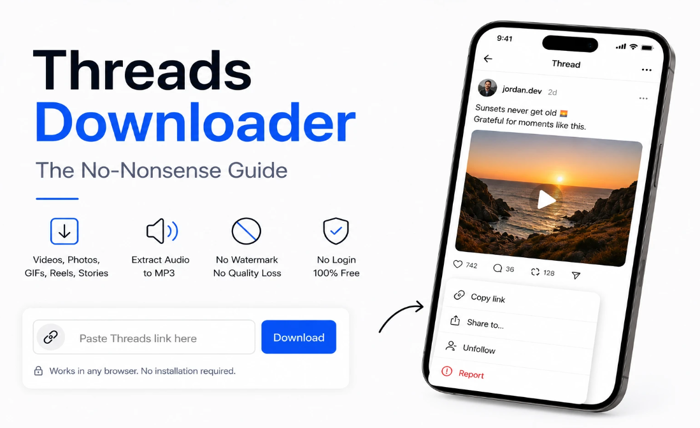
Threads doesn’t have a download button. A Threads downloader fills that gap. That’s the whole premise — nothing more complicated than that.
This guide skips the preamble and gets to what you actually need to know: how to use one, what trips people up, and when a downloader won’t help you.
The Quick Version
Copy the link from any public Threads post. Open savethr.com in your browser. Paste the link. Tap Download. Choose quality. Done.
If that worked, you’re finished. The rest of this is for when something doesn’t behave as expected.
Why Bookmarks Don’t Work as an Alternative
A lot of people try bookmarking posts instead of downloading. It seems like it should work — you save the post, you can go back to it. The problem is that a bookmark is just a pointer to the original post, not a copy of it.
If the creator deletes the post, the bookmark leads to a 404. If the account gets deactivated, same result. If Threads goes down or restricts access, same result. A bookmark requires the post to still exist and be accessible every time you want to view it.
A downloaded file sits on your device and requires nothing from Threads or the creator. That’s the actual difference.
What a Threads Downloader Can and Can’t Do
Can do: download videos, photos, GIFs, Reels, and Stories from any public Threads post. Extract audio from videos as MP3. Save carousel posts with multiple photos.
Can’t do: access content from private accounts. That content is behind authentication — a downloader doesn’t have your login and can’t bypass it. Retrieve deleted posts. Once a post is gone from Threads’ servers, the link is dead and no tool can recover it. Improve quality beyond what was uploaded. The file you download is what was posted.
Understanding these limits upfront saves a lot of frustration.
The Two Things That Actually Trip People Up
Private accounts. If you paste a link and get an error or a “content not available” message, the most likely reason is that the account is private. Check the profile — if it says “Private account” or shows a lock icon, that’s why.
Incomplete links. When you copy a Threads link manually (by selecting text or copying from a browser bar), it can sometimes be truncated or formatted incorrectly. The safest way is to use the built-in share function in the Threads app: tap the three-dot icon on the post and select Copy link. That always gives you the full, correctly formatted URL.
How to Use a Threads Downloader — Step by Step
Step 1 — Open the post in Threads and copy the link
Tap the three-dot icon on any public post and select Copy link. On desktop, copy the URL from your browser’s address bar.
Step 2 — Open savethr.com and paste the link
Open your browser and go to savethr.com. This threads downloader works in Chrome, Safari, Firefox, or any other browser on any device — no installation required. Paste the link into the input field.
Step 3 — Choose quality and download
Tap Download. You’ll see quality options based on what’s actually available for that post. Select what you want and the file saves to your device. savethr.com fetches the original file directly from Threads — no watermark added, no quality loss in the process.
Where the File Goes
Android: your Downloads folder. Your gallery app scans this automatically — the video usually shows up within seconds. If it doesn’t, open your file manager, find the file, and tap it once to trigger the gallery scan.
iPhone: after tapping download in Safari, iOS shows a prompt. Tap Save Video for Photos, or Save to Files if you prefer the Files app.
Desktop: your browser’s default downloads folder.
Does It Work for All Types of Threads Content?
Videos: yes, as MP4. Photos: yes, as JPG at original resolution. GIFs: yes, usually as MP4 (since that’s how Threads stores them internally). Reels: yes, same process as videos. Stories: yes, if they’re publicly viewable. Audio: yes, as MP3 if the video has a sound track.
One link, one paste — the downloader detects the content type automatically.
Do You Need an Account or to Log In?
No. A Threads downloader that asks for your login credentials should be avoided. There’s no technical reason it would need them — public content is accessible without authentication. If a tool asks you to log in, it’s either poorly built or collecting your data.
The Short Version
A threads downloader takes a public Threads post link and returns the media file for download. Copy link → paste into savethr.com → choose quality → done. It works for videos, photos, GIFs, Reels, and audio. It doesn’t work for private accounts or deleted posts — nothing does.
